
Ms_Niche
New member
- Joined
- Jul 26, 2025
- Messages
- 11
- Reputation score
- 24
Overview:
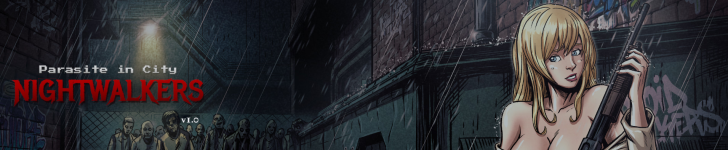
Parasite in City: Nightwalkers is an unofficial, completely non-commercial fan project created as a new chapter in the legacy of Parasite in City.
Built in Unity 2022 while preserving the original game’s sprites, sounds, atmosphere, and identity, Nightwalkers expands on that foundation with new enemies, two additional weapons, redesigned and more intuitive controls, and a range of new gameplay systems and encounters.
This is a short, focused experience by design—not an attempt to turn Parasite in City into something it was never meant to be.
The goal is simply to recapture what made the original memorable, give longtime fans a reason to step back into its world, and show what another chapter could look like.
Short and sweet, familiar but new, Nightwalkers is meant to be a new beginning.
Gameplay Information
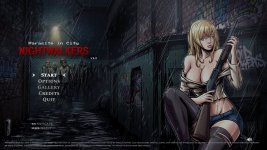
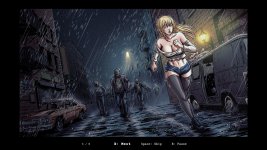
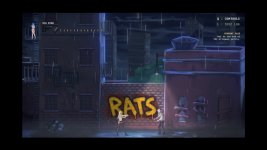
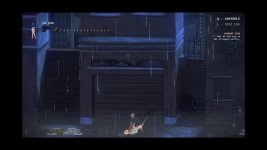
NIGHTWALKERS is a 2D action side-scroller with survival-horror pacing. Players move through Stage 1 and its Stage 1B continuation while managing health and limited ammunition, fighting ground zombies, zombie dogs, and flying Dragonflies. Combat includes a high-impact shotgun, rapid-fire pistol, melee attacks, and Molotovs for area denial, while enemies can patrol, detect, chase, attack, and grab the player, with QTE escape sequences adding pressure. The game supports either WASD or arrow-key controls, and every binding can be remapped to suit your preferred setup. Progression is encounter-based: clear required hostiles to secure checkpoints, then use the keypad to advance; dying restores the player, inventory, and world state to the latest checkpoint.
Credits:
Ms Niche - Unity Developer
BRuRi Studios - Pixel Animations
Wilustrador - CG Artwork
Azaleadev - Beta Tester
BRuRi Studios - Pixel Animations
Wilustrador - CG Artwork
Azaleadev - Beta Tester
All original Parasite in City art & assets belong to Pixel Factory. Consider purchasing the original game here:
You must be registered to see the links
Thread Updated: 2026-08-30
Release Date: 2026-08-28
Developer:
You must be registered to see the links
You must be registered to see the links
Censored: No
Version: 1.0
OS: Windows
Language: English
Genre:
Spoiler
Female protagonist, action, survival, horror side-scroller, beastiality pixel art, rape, impregnation
Installation:
1. Extract and run.
Changelog:
NIGHTWALKERS v1.0 Initial Release — August 28, 2026
NIGHTWALKERS v1.01 Hotfix — August 29, 2026
NIGHTWALKERS v1.01 Hotfix — August 29, 2026
- Game Over audio now becomes muffled and distant instead of cutting to complete silence.
- Fixed the player using the shotgun animation after escaping a grab while holding the pistol.
- laptop and smaller-screen support, preventing the game from being cut off on resolutions such as 1366×768 and 1280×720.
Game Download:
Source Code Download:
You must be registered to see the links
Source Code Download:
You must be registered to see the links
Nightwalkers Development Setup
Install Unity Hub.
In Unity Hub, install Unity 2022.3.62f1.
Extract the project ZIP.
In Unity Hub, click Add project from disk and select the project folder.
Open the project. The first import may take some time.
Recommended
Using an AI coding assistant is highly recommended. Examples include GitHub Copilot, Codex, or Claude Code. The project is heavily documented and designed to work well with AI-assisted development.
Playing in the Editor
Press Play in Unity.
The Game window may appear very small.
Press F10 for fullscreen.
The mouse cursor will disappear during gameplay.
Press Escape to open the pause menu and exit Play Mode.
Usage
Feel free to study, modify, or make non-commercial fan projects with the source.
Do not use this project commercially. It contains third-party assets that I do not own.
In Unity Hub, install Unity 2022.3.62f1.
Extract the project ZIP.
In Unity Hub, click Add project from disk and select the project folder.
Open the project. The first import may take some time.
Recommended
Using an AI coding assistant is highly recommended. Examples include GitHub Copilot, Codex, or Claude Code. The project is heavily documented and designed to work well with AI-assisted development.
Playing in the Editor
Press Play in Unity.
The Game window may appear very small.
Press F10 for fullscreen.
The mouse cursor will disappear during gameplay.
Press Escape to open the pause menu and exit Play Mode.
Usage
Feel free to study, modify, or make non-commercial fan projects with the source.
Do not use this project commercially. It contains third-party assets that I do not own.
Last edited:
