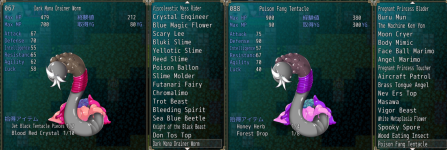
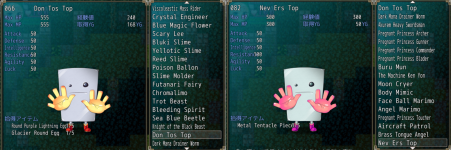
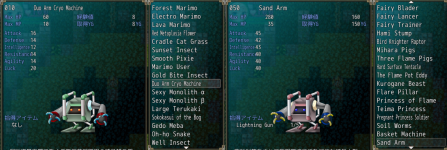
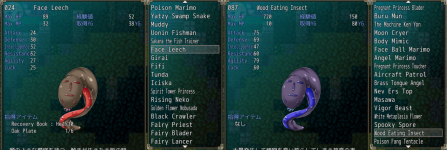
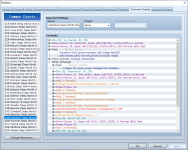
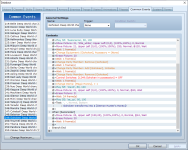
Yeah I think you are indeed confusing things here. For Gohoken you get Magic honey (though the dialog popup claims you get [Demon Hunter's Honey]!, heh, so there is your other point in among it xD), no matter what, as can seen from Gohoken's DW event in the following 2 screenshots
View attachment 53336View attachment 53338
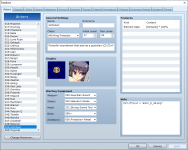
Notably though Gohoken, starts with a Protection Wheel in her accessory slot (as can be seen from her actor page in below Screenshot. And as can see from the event code above, her accessory slot get set to be empty when you Deep World her (This is true for any other monster's deep worlding as well), meaning it's get unequipped, and thus moved to your inventory, if it is still what you have equipped on her, but you could have done that manually yourself at any time after you birthed her, and if you gave her another accessory item, that would be moved back to your inventory instead, but you are still also getting the Magic Honey, probably just missing that you got another one of them, if you already have some, would be my geuss.
View attachment 53339
This is almost certainly similar situations in any other cases you "found" as well, and indeed Pandora starts with a "Surprise Pumpkin" in her accessory slot, but gives a "Soul of the Fire Demon" as a Deep World reward.
So in summary:
When birthing Gohoken, you get a "Protection Wheel" with her in her accessory slot, but when you Deep World her, you get the "Magic Honey" Item as a reward for that, and anything that is in her accessory slot at the time is moved to your inventory