You are using an out of date browser. It may not display this or other websites correctly.
You should upgrade or use an alternative browser.
You should upgrade or use an alternative browser.
Frequently Asked Questions and Problems (Tech Questions Go Here!)
- Thread starter Pakars
- Start date

meh65
Tentacle Monster
- Joined
- May 12, 2014
- Messages
- 375
- Reputation score
- 105
Thanks...Uh, you're welcome?
It's a thread, not post. Threads require being verified by mods. Have a good day.
<drooping that here for future reference>
To T++ beginners:
- T++ will output the rightmost column's content.
- T++ will keep the original code if you deleted a line
(this is what you should do with any line which does not display in-game text. They were caught by T++, but need be weeded out.)
Hi i am trying to make a game from 2016 to work
but i get an error from the setup and i dont know what is it about ... il try to insert a jpg with the error i get and if someone can tell me what is it about ... thanks.
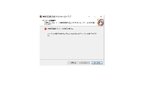
You must be registered to see the links
but i get an error from the setup and i dont know what is it about ... il try to insert a jpg with the error i get and if someone can tell me what is it about ... thanks.
i did not notice this and i think this was my problem thanks for helpingNot speaking japanese, but you are actually trying to install the game DLC. So the error may very well be that the original game isn't found installed on your computer.

meh65
Tentacle Monster
- Joined
- May 12, 2014
- Messages
- 375
- Reputation score
- 105
So translator++ (no matter the version) just opens as a black screen now...I have no idea WTF I did.
I tried playing a video game that kept giving me issues so I did a windows update, a GPU driver update, and java update.
Now no version of translator++ works
EDIT*
IT only works in compatibility mode for windows vista WTF?
I tried playing a video game that kept giving me issues so I did a windows update, a GPU driver update, and java update.
Now no version of translator++ works
EDIT*
IT only works in compatibility mode for windows vista WTF?
Last edited:


Bryanis
Evard's Tentacles of Forced Intrusion
- Joined
- Mar 14, 2014
- Messages
- 2,330
- Reputation score
- 655
was "how to bypass DLSite's PlayDRM" ever mentioned in this thread?
I think the only answer was either : "copy the temps file while the game is working and save them in another folder", or for the game it don't work a simplier "wait for a crack".....
Hello, everyone knows how to block this texts from spamming please? I dont know if is the right place but here I go.
Game Name:
(同人ゲーム) [2020-11-07][RJ295434][レトロラボ] 僕のカノジョがデキるまで。 -追跡孕ませ拉致監禁-
What is repeating forever are those 3 for now that I found:
「時間帯:朝」
「時間帯:昼」
「時間帯:夕方」
So after first first intro of the game and introduce day time morning afternoon and evening those 3 keep overlapping the text every second so is impossible to read....
Thank you very much if you find me solution.
Game Name:
(同人ゲーム) [2020-11-07][RJ295434][レトロラボ] 僕のカノジョがデキるまで。 -追跡孕ませ拉致監禁-
You must be registered to see the links
What is repeating forever are those 3 for now that I found:
「時間帯:朝」
「時間帯:昼」
「時間帯:夕方」
So after first first intro of the game and introduce day time morning afternoon and evening those 3 keep overlapping the text every second so is impossible to read....
Thank you very much if you find me solution.
When using the RPGMakerMVGame Patch add each of these lines to the Text Block Recognition:Hello, everyone knows how to block this texts from spamming please? I dont know if is the right place but here I go.
Game Name:
(同人ゲーム) [2020-11-07][RJ295434][レトロラボ] 僕のカノジョがデキるまで。 -追跡孕ませ拉致監禁-
You must be registered to see the links
What is repeating forever are those 3 for now that I found:
「時間帯:朝」
「時間帯:昼」
「時間帯:夕方」
So after first first intro of the game and introduce day time morning afternoon and evening those 3 keep overlapping the text every second so is impossible to read....
Thank you very much if you find me solution.
((^時間帯:朝)($|。$))
((^時間帯:昼)($|。$))
((^時間帯:夕方)($|。$))
That should solve the repeated text issue that those do.

KillerDxD
Well-known member
- Joined
- May 1, 2018
- Messages
- 557
- Reputation score
- 541
Hi, I've been having some trouble running some old rpg maker vx ace on my new laptop and am seeking solution to the problem. When I open the exe file for the game, the window appears for a few seconds, then closes. After it closes, it creates a dmp file in the game's folder. Anyone know what I need to do to solve this issue?

Mick2000
Newbie
- Joined
- Aug 30, 2016
- Messages
- 1,255
- Reputation score
- 589
i don't know about the dmp file but it happened once to me when a game immediately close when i open it, disable your antivirus and try open your game again, at least it work for me.Hi, I've been having some trouble running some old rpg maker vx ace on my new laptop and am seeking solution to the problem. When I open the exe file for the game, the window appears for a few seconds, then closes. After it closes, it creates a dmp file in the game's folder. Anyone know what I need to do to solve this issue?
KillerDxD
Well-known member
- Joined
- May 1, 2018
- Messages
- 557
- Reputation score
- 541
Tried that but it didn't work out. Some other solutions I've tried:i don't know about the dmp file but it happened once to me when a game immediately close when i open it, disable your antivirus and try open your game again, at least it work for me.
-Reinstalling the game
-Deleting save files in case it was a corruption issue with it, causing the main game to break for some reason
-Unpacking the game from the zip using Japanese name coding
-Reinstalling the RPG Maker VX Ace RTP
-Running without locale emulator
Mick2000
Newbie
- Joined
- Aug 30, 2016
- Messages
- 1,255
- Reputation score
- 589
-it's a RPG maker game, you can't Reinstall it cause it's not something installed to your device to begin withTried that but it didn't work out. Some other solutions I've tried:
-Reinstalling the game
-Deleting save files in case it was a corruption issue with it, causing the main game to break for some reason
-Unpacking the game from the zip using Japanese name coding
-Reinstalling the RPG Maker VX Ace RTP
-Running without locale emulator
-corrupted save file won't affect booting process of the game
-if still not working then this isn't the solution
-same
-i change my locale system to JP and never revert it back, never once i use Locale Emulator for a mere RPG maker problem
try grab a new copy of the game and redo everything, it might be because one or more file inside it is corrupted, who knows.
oh and btw, you said it's a brand new laptop is it? have you installed all necessary component to run most video game such as latest version of "Visual C++" or "Direct X"? this might be the problem, just saying.

SoulLess Child
Active member
- Joined
- Nov 26, 2018
- Messages
- 756
- Reputation score
- 163
Hi, I've been having some trouble running some old rpg maker vx ace on my new laptop and am seeking solution to the problem. When I open the exe file for the game, the window appears for a few seconds, then closes. After it closes, it creates a dmp file in the game's folder. Anyone know what I need to do to solve this issue?
asuming Windows:Tried that but it didn't work out. Some other solutions I've tried:
-Reinstalling the game
-Deleting save files in case it was a corruption issue with it, causing the main game to break for some reason
-Unpacking the game from the zip using Japanese name coding
-Reinstalling the RPG Maker VX Ace RTP
-Running without locale emulator
Control Panel > Program > Turn Windows Features on off >
there might be a few things useful to turn on.
and depending on the OS, don't bother with language emulators, install Japanese language pack, switch to Japanase Locale, Download and install stuff while in Japanese Locale.
KillerDxD
Well-known member
- Joined
- May 1, 2018
- Messages
- 557
- Reputation score
- 541
Yup the unicode was the thing that needed to be changed, didn't feel like it since I thought emulator would do the work. Thanks for the help!asuming Windows:
Control Panel > Program > Turn Windows Features on off >
there might be a few things useful to turn on.
and depending on the OS, don't bother with language emulators, install Japanese language pack, switch to Japanase Locale, Download and install stuff while in Japanese Locale.
zipetya
Evard's Tentacles of Forced Intrusion
- Joined
- Nov 13, 2013
- Messages
- 1,037
- Reputation score
- 231
I am pretty much on the exact opposite side of things; I'd say I'd NEVER change my locale to JP for a mere RPG maker problem. lol-i change my locale system to JP and never revert it back, never once i use Locale Emulator for a mere RPG maker problem
Also, if it's not some really specific weeeeird W10 problem unique to Killer, then Locale Emulator should be enough 99,85% of the time.
Curious what "the unicode" that needed changing actually was. If it's not that UTF-8 checkbox under the admin tab inside where you actually change the locale (that is if that still is around in W10 now...dunno. still rolling with my admittedly shitu-pilu W8.1 here lol)...
I'd say you're using LE wrong. Well, maybe some update could have effed things up lately, I guess.
Alright, I'm stumped so I'm turning to you fine folks.
I'm trying to get the English version of Closed Area Block Z (RE304544) to run, but every time I start it up the window opens and then immediately disappears - a CTD with no error message. In order to get the game this far, I had to add the 32 bit version of the directx9 dll (d3dx9_43 to be specific) to the game's directory. Running a laptop with windows 10 64 bit, Japanese language pack installed and System Locale set to default to Japanese for unicode programs.
I've tried running it as Admin and in compatibility mode for windows 7 and 8. I've tried redownloading the program and re-extracting it. I've activated Windows 10's Internet Information Services features to run applications that normally only run on 32bit versions of windows. I haven't seen posts from other people having this issue, but the game also seems to work on 10 for plenty of people. Any ideas?
I'm trying to get the English version of Closed Area Block Z (RE304544) to run, but every time I start it up the window opens and then immediately disappears - a CTD with no error message. In order to get the game this far, I had to add the 32 bit version of the directx9 dll (d3dx9_43 to be specific) to the game's directory. Running a laptop with windows 10 64 bit, Japanese language pack installed and System Locale set to default to Japanese for unicode programs.
I've tried running it as Admin and in compatibility mode for windows 7 and 8. I've tried redownloading the program and re-extracting it. I've activated Windows 10's Internet Information Services features to run applications that normally only run on 32bit versions of windows. I haven't seen posts from other people having this issue, but the game also seems to work on 10 for plenty of people. Any ideas?
Bryanis
Evard's Tentacles of Forced Intrusion
- Joined
- Mar 14, 2014
- Messages
- 2,330
- Reputation score
- 655
Alright, I'm stumped so I'm turning to you fine folks.
I'm trying to get the English version of Closed Area Block Z (RE304544) to run, but every time I start it up the window opens and then immediately disappears - a CTD with no error message. In order to get the game this far, I had to add the 32 bit version of the directx9 dll (d3dx9_43 to be specific) to the game's directory. Running a laptop with windows 10 64 bit, Japanese language pack installed and System Locale set to default to Japanese for unicode programs.
I've tried running it as Admin and in compatibility mode for windows 7 and 8. I've tried redownloading the program and re-extracting it. I've activated Windows 10's Internet Information Services features to run applications that normally only run on 32bit versions of windows. I haven't seen posts from other people having this issue, but the game also seems to work on 10 for plenty of people. Any ideas?
The game don't require much normally. Closing immediatly is usually either a language setting problem or a virus (read : anti virus) problem.
So I'll sugest you try 2 thing :
- Add an exception to your AV (or turn it of) and start the game again.
- Even in japanese setting, name too long or even sometime just with non local character can make a Japanese game crash, so try to move the game to a folder with a short path and a simple name (like c:\ RE304544\ to try it out).
Share: